3D Battery Charging Animation
- 4.4
- Rating
- 1.00M
- Installs
- Free
- Price

 Analysis by App-foxy
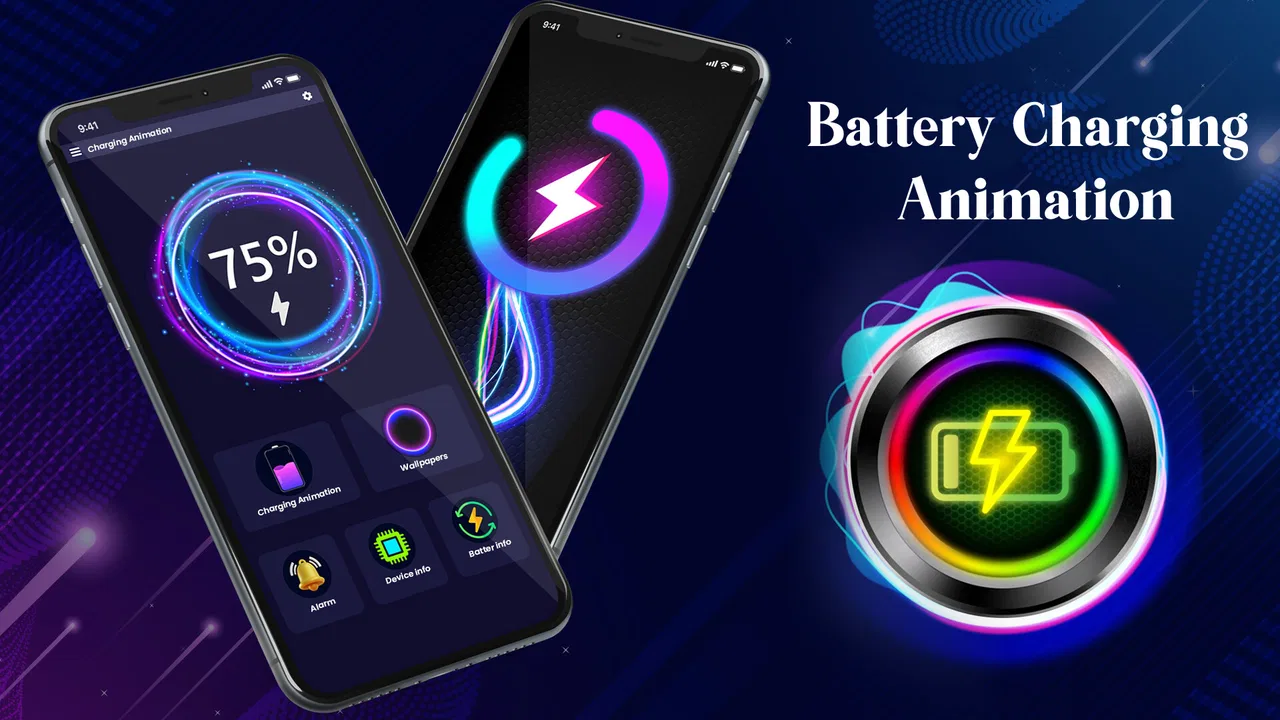
Charging a phone is usually one of the least interesting moments of the day. 3D Battery Charging Animation tries to turn that small pause into something more visual, using animated charging effects and a more playful battery display. I see it as a personalization app rather than a battery-management tool: it changes the way charging feels on screen, but it does not replace the phone’s own battery settings or improve the physical charging process.
That distinction matters before installing it. If you want a cleaner lock screen, a more noticeable charging screen, or a little visual personality when you connect a cable, this app has a clear purpose. If you are looking for longer battery life, faster charging, temperature monitoring, or detailed battery diagnostics, you should remain with the tools already built into your phone or choose a dedicated utility instead.
What the charging experience feels like in everyday use
My first impression is that the app is designed for people who enjoy visible feedback. Instead of connecting the charger and immediately forgetting about it, you get an animation effect intended to make that moment feel more deliberate. The emphasis is on appearance: the battery becomes a small piece of screen decoration rather than just a percentage.
You May Also Like

 Blood Strike: 2.5 Anniversary
Blood Strike’s Loadouts Turn Every Drop Into a Tactical Gamble
A close look at Blood Strike’s custom loadouts: how fast access to signature weapons reshapes its battle royale rhythm, rewards preparation, and narrows the gap between fights.

 Pandora - Music & Podcasts
Pandora’s Music Is Easy to Start, but Harder to Recover
Pandora’s strength is its low-effort path from a seed to a station. Its weak spot is how much confidence it asks you to place in connection, setup, and quiet recovery.

 8 Ball Pool
 Is Built on Rivalries, Rematches, and Routine
A close look at the rivalries, rematches, shared routines, and unanswered safety questions that turn a quick pool match into a persistent mobile community.

 Samsung Music
’s Quiet Strength Is Playing What You Already Own
Its reach comes less from spectacle than from dependable access to a personal library. That simplicity is both the app’s strongest retention engine and its ceiling.

 AccuWeather: Weather Radar
AccuWeather Review: A Quick, Clear Forecast for Everyday Decisions
For everyday plans, the best forecast is the one you can understand quickly. AccuWeather makes rain timing, radar, and local conditions easy to act on, with a few trade-offs.

 Hill Climb Racing
Why Hill Climb Racing Still Turns Crashes Into One More Run
A tiny car, a bumpy hill and one more upgrade: Hill Climb Racing keeps resurfacing because its simple chaos makes every near-miss feel personal.
More From Our News Desk



That makes the app especially suitable for a bedside charger, a desk where the phone remains visible, or a shared charging station at home. In those situations, a charging animation can act as a quick visual confirmation that the cable is connected. I also found the idea useful when charging in a dim room, because a clear on-screen effect can be easier to notice than a tiny battery icon.
The experience is not equally valuable for everyone. I normally charge my phone and put it away, so an animation adds little if the screen is not in front of me. It can also feel unnecessary if your phone already shows a large charging indicator or if you prefer a quiet, minimal interface. The app works best when you see personalization as part of the phone experience, not as a technical upgrade.
JedyApps presents it as a free app in the personalization category, with optional purchases ranging from $5.49 to $19.99 per item. That makes trying the basic experience relatively easy, but I would still inspect what is available before making a purchase. A charging animation is a visual extra, so the value of paid content depends heavily on how much you care about variety and how often you actually see the effect.
Why the visual approach can be more useful than it sounds
A small animation can solve a practical problem: uncertainty. When a cable is loose, a charging screen that appears clearly can reassure you that the phone has recognized the connection. I would not treat that as a replacement for checking the battery percentage, but it is a convenient glanceable signal when the phone is sitting across a room.
There is also a routine benefit. I like using visual cues to separate “phone is charging” from “phone is ready to use.” A distinctive screen effect can make the charging habit feel more intentional, particularly if you charge at regular times. This is not a productivity feature in the usual sense, but it can make a repetitive action easier to notice.
Another useful scenario is presentation. If you keep a phone on a stand while working, the animation can make the device look less plain than the standard system screen. That may appeal to users who already customize wallpapers, icons, widgets, and notification styles. In that context, the app is not trying to be essential; it is completing a visual theme.
The trade-off is attention. More movement on the screen can be attractive for a few minutes and distracting after repeated use. I would avoid treating the most energetic animation as automatically the best one. A restrained effect is likely to work better on a desk or nightstand, while a brighter style may suit someone who wants the charging moment to stand out.
How it compares with the phone’s built-in charging display
The usual alternative is simply using the system charging indicator. That option is more integrated, consumes no extra setup time, and generally matches the phone’s own visual language. For someone who values reliability and minimal screen activity, the built-in display is the better choice.
This app has a different advantage: it gives charging a more decorative identity. System indicators are designed to be functional and consistent, while a personalization app can make the screen feel more individual. The decision is therefore less about which one is technically superior and more about whether you want customization during a very specific phone activity.
Compared with a full battery-monitoring app, the difference is even clearer. A monitoring tool may focus on usage history, battery health, charging speed, or power consumption. 3D Battery Charging Animation is not the app I would choose for those questions. Its strength is the immediate visual moment when charging begins, not long-term analysis.
It also differs from wallpaper and lock-screen customization apps. Those tools can change the phone’s appearance throughout the day, whereas this one is tied to charging. That narrower focus can be a benefit if you want a small change without redesigning the entire interface. It can also be a limitation if you expect one installation to transform the phone more broadly.
Trust, permissions, and the moments worth checking
Because this app changes what appears during charging, I would pay attention to the choices Android presents during setup and use. I do not assume that a visual app is automatically harmless just because its purpose is decorative. The sensible approach is to read each permission prompt, understand why it appears, and decline anything that does not seem necessary for the experience you want.
Android users should also review the app’s notification behavior and any display-related access requested by the operating system. An animation that appears over or around the charging screen may involve system-level presentation choices, so I would not approve access casually. If the phone explains an option in vague language, I would pause and check the wording rather than tapping through the setup.
There is a useful privacy habit here: install the app, observe the first-run requests, and then revisit them from Android settings. This lets you confirm which controls remain active after setup. If the effect works without a permission, I prefer leaving that permission disabled. If removing access breaks the main feature, that tells me exactly what the app depends on.
I would use the same caution with notifications. A charging animation does not need to become a source of constant alerts. If the app offers notification choices through Android, I would keep only the messages that have a clear purpose. A decorative feature should not create more interruptions than the charging screen itself.
Data practices deserve the same careful treatment. I would read the privacy information available on the app’s store page and watch for any account or sign-in request. Since the core idea is visual personalization, I would be wary of being pushed into an account before I can test the basic experience. If an account is optional, I would start without one and decide later whether the extra control is worth it.
I also recommend checking whether personalized content, purchases, or settings are tied to an account or remain local to the device. That affects what happens when changing phones, uninstalling the app, or resetting Android. The practical question is not only “does it look good?” but also “what will I need to repeat if I stop using it and return later?”
Keeping control over the experience
User agency is important with an app that changes a visible part of the phone. I want to be able to stop the animation quickly, return to the standard charging display, and prevent the app from appearing when I do not need it. Before settling on a setup, I would explore the app’s own controls as well as Android’s settings for notifications, battery use, and display access.
A good personal workflow is to test it during a normal charging session rather than judging it from a preview. Connect the phone at your usual time, leave it on the stand, and see whether the animation remains pleasant after several minutes. Then repeat the test at night, when brightness and movement may feel more intrusive. This reveals a practical trade-off that screenshots cannot: an effect can look impressive briefly but become irritating as part of a daily routine.
I would also test what happens when the phone is locked, when the screen times out, and when the cable is disconnected. Those are the moments where a charging-display app either feels seamless or starts to feel like an extra layer. If the behavior is not comfortable, Android’s app controls should be your first place to reduce notifications, background activity, or display access.
Battery use is another sensible consideration. An animation shown only briefly may be insignificant in daily use, but a visual effect that keeps the screen active can matter more on a phone with a small battery or an older device. I would not assume the impact is identical across phones. Watch your own battery pattern for a day or two, especially if you charge frequently or leave the device plugged in for long periods.
There is a subtle safety issue as well: an animation should never be treated as evidence that charging is healthy. It cannot tell you whether a cable is damaged, whether a charger is delivering the expected power, or whether the phone is overheating. If the device becomes unusually hot, charges inconsistently, or shows a system warning, I would trust Android’s warning and inspect the charger rather than relying on the visual effect.
Who will enjoy it, and who should skip it
I think the app is a good match for someone who enjoys customizing small details. You may like it if your phone spends a lot of time on a stand, if you want charging to be easier to notice, or if the standard battery icon feels too plain. It is also a reasonable choice for a family device where a clear visual charging state is more approachable than a tiny percentage indicator.
It is less suitable for users who want a quiet interface, avoid animated screens, or keep the phone face down while charging. I would also skip it if your main goal is battery health information. The app’s personality comes from presentation, not measurement, so a battery diagnostic tool would be a more appropriate investment of time.
Users who are particularly careful about permissions and background behavior should take a measured approach rather than installing and accepting every prompt. Try the free experience first, review Android’s controls, and remove access that does not match your needs. The app can still be enjoyable, but only if it fits comfortably within your privacy and attention preferences.
Compatibility is fairly approachable: the app supports Android 7.0 and later, which covers a broad range of devices. Even so, the exact appearance can vary with screen size, Android’s system interface, manufacturer software, and lock-screen behavior. I would judge it on the phone you actually use, not on how an animation appears in promotional images.
What the current release and reputation suggest
The app was released on Aug 1, 2023, and the current version is 2.0.3. In practical terms, that tells me this is not an entirely new experiment, but I would still install updates carefully and read the change notes when available. Updates can improve presentation, adjust compatibility, or alter how the app interacts with Android settings, so keeping track of changes is worthwhile for a system-facing personalization tool.
Its public reception is encouraging without being a reason to skip personal testing. It has a 4.4 average from around 13 thousand ratings and more than 1 million installs. Those figures suggest that the concept has found a substantial audience, but they do not tell me whether the animation suits my phone, my charging routine, or my privacy expectations. I treat popularity as context, not proof that every user will have the same experience.
The number of written reviews is around 42, so I would read the available comments for practical clues rather than relying only on the average. Look for repeated mentions of setup, screen behavior, unwanted alerts, paid content, and compatibility. Those details are more useful than a simple “looks great” reaction because they address the friction that appears after the first installation.
The Everyone content rating makes the app broadly approachable from an age-classification perspective. That does not remove the need for normal Android permission checks or purchase awareness. Parents and users sharing a device should still review whether optional purchases are protected and whether notifications or display behavior are appropriate for the phone’s role.
My cautious recommendation
After using it as a visual charging enhancement, I would recommend 3D Battery Charging Animation to people who genuinely enjoy animated personalization and regularly keep their phone visible while it charges. The free entry point makes it reasonable to test, and the app has a clear identity instead of pretending to be a complete battery utility.
My recommendation comes with boundaries. I would not install it expecting faster charging, better battery health, or reliable technical diagnosis. I would also avoid paying for extra visual content until I had confirmed that the basic animation remains useful after the novelty fades. Since optional items cost between $5.49 and $19.99, the decision should depend on repeated daily enjoyment rather than a first-minute impression.
The best way to approach it is deliberately: install it, read every Android prompt, test the charging behavior at your desk and at night, review notification and display controls, and compare the result with the built-in indicator. If the animation helps you notice charging and makes the phone feel more personal without creating distraction, it earns its place. If it adds movement, permissions, or purchase pressure without a clear benefit, the standard system screen is the smarter alternative.
My final view is positive but selective. This is a focused personalization app with a simple reason to exist, and it can make an otherwise forgettable charging moment more enjoyable. Its value depends almost entirely on your habits, your tolerance for animation, and how carefully you manage access. For the right user, that narrow focus is enough; for everyone else, it is better understood as a decorative extra rather than an essential phone tool.
FAQs for 3D Battery Charging Animation
01What is 3D Battery Charging Animation, and how does it work?
3D Battery Charging Animation is an app designed to enhance your phone's charging experience with visually appealing 3D graphics. When your device is plugged in, the app displays stunning animations that make charging more interactive and enjoyable. It utilizes minimal system resources, ensuring that your device's performance remains unaffected while providing a dynamic charging display.
02Does the app affect battery performance or charging speed?
No, the 3D Battery Charging Animation app does not affect your phone’s battery performance or charging speed. It is designed to operate efficiently, using minimal processing power and battery resources. The app solely focuses on providing a visual enhancement and does not interfere with the technical aspects of battery charging.
03Is the app compatible with all Android and iOS devices?
The app is compatible with most modern Android and iOS devices. However, to ensure optimal performance, it's recommended to check the app store for specific compatibility details related to your device’s operating system version. Older devices or those with outdated operating systems may experience limitations in functionality.
04Are there customization options available within the app?
Yes, 3D Battery Charging Animation offers a range of customization options. Users can select from various themes and animation styles to suit their personal preferences. The app allows for easy adjustments, enabling you to personalize the charging animation experience in a manner that best fits your aesthetic taste.
05Is the app free to use, and are there any in-app purchases?
The app is available for free download and offers basic features without charge. However, there are optional in-app purchases available that unlock additional themes and premium animations. Users can choose to enhance their experience by purchasing these premium features, though the core functionality remains accessible without payment.
Pros
- Visually engaging charging animations.
- Customizable themes and effects.
- Easy to use with a simple interface.
- Compatible with most devices.
- Low battery consumption.
Cons
- Ads can be intrusive.
- Limited free themes available.
- Some animations may lag.
- Requires in-app purchases.
- No offline access to features.

3D Battery Charging Animation
Gallery